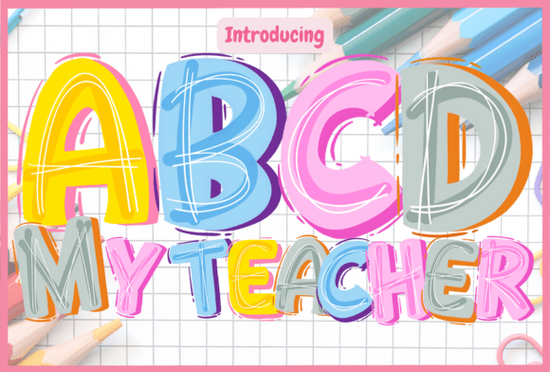
If you’re looking for a friendly, classroom-ready display font that works well for both digital design and physical crafts, the Abcd My Teacher Font is a thoughtful choice especially if your projects lean toward education, early learning, or playful back-to-school themes. It’s not just colorful; it’s intentionally designed to feel warm, approachable, and hand-crafted like something a teacher might draw on a whiteboard or chalkboard to welcome students.
What makes this font different from other kid-friendly fonts?
Most cheerful fonts rely on rounded shapes or bright colors but Abcd My Teacher Font stands out because of its layered personality: bold bubble letters, soft hand-drawn outlines, and built-in multicolor variation. That means each letter isn’t just one flat color it’s a small composition of hues and textures, giving it visual energy without overwhelming young eyes.
This isn’t a “one-size-fits-all” decorative font. It’s meant for context: classroom posters, name tags, activity sheets, reward charts, or even printable flashcards. You’ll notice it doesn’t try to be ultra-legible at tiny sizes (like body text), but shines where visibility and mood matter most think bulletin boards, door signs, or digital lesson headers.
Which version should you choose: black or color?
The font comes in two distinct versions, and compatibility depends on your tools:
- Black version: A single-color OTF/TTF file. Works with Cricut Design Space, Silhouette Studio, Canva, and most cutting machines and design apps. Great for vinyl decals, iron-on transfers, or printed worksheets where consistent coloring matters.
- Color version: Uses OpenType color font technology (COLR/CPAL). Requires software that supports color fonts like Adobe Photoshop, Illustrator, Affinity Designer, Inkscape, or Silhouette Studio (with updated firmware). Not compatible with Cricut Design Space, despite what some older tutorials suggest.
If you’re using Cricut and want multicolor results, you’ll need to manually layer shapes or use the black version with fill adjustments in your design app before cutting. For print-on-demand sellers or educators making PDF resources, the color version saves time no need to recolor each letter by hand.
How does it pair with other Creative Fabrica fonts?
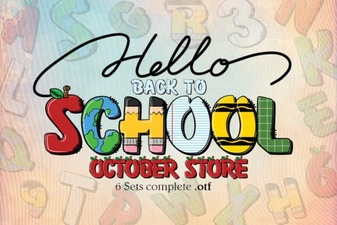
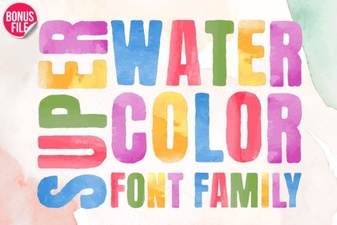
Because it’s part of Creative Fabrica’s broader collection of colorful fonts, it fits naturally alongside styles like Super Watercolor Font, which offers softer, painterly texture, or Back to School Font, which leans into retro classroom vibes. You can mix them thoughtfully say, using Abcd My Teacher Font for headlines and Super Watercolor Font for subheadings to create visual hierarchy without clashing.
It also shares a similar audience with handwriting-style fonts used for certificates or student awards just keep contrast and spacing in mind when layering fonts in one layout.
Real-world uses that work well
We’ve seen this font used successfully in several low-risk, high-impact ways:
- Classroom door signs (“Welcome to Mrs. Lee’s Room!”)
- Printable behavior charts with colorful icons and labels
- Digital worksheets for phonics or sight-word practice
- SVG bundles for teachers selling editable resources on Etsy or Teachers Pay Teachers
- Small-batch sticker sets for homeschool co-ops or tutoring centers
One note: because the color version relies on font-level color data not layers or vectors it won’t export as editable shapes in all programs. If you need full vector control (e.g., for resizing without pixelation or editing individual letter colors), stick with the black version and add fills manually.
Where to learn more about using color fonts
Creative Fabrica’s Abcd My Teacher Font includes access to their Ultimate Font Guide, which walks through installation, software setup, and common troubleshooting especially helpful if you’re new to OpenType color fonts. There’s also a short video demo showing how to activate color layers in Photoshop and Illustrator.
For crafters using Silhouette Studio, make sure you’re on version 5.0 or higher and double-check that “Color Fonts” is enabled under Preferences > General.
Before downloading or purchasing: Confirm your main design tool supports color fonts before assuming the multicolor version will work as expected. When in doubt, start with the black version it’s universally compatible and still carries the same bubbly, joyful spirit.
 Creative Typography for School Projects
 Super Watercolor Font for Creative Design Projects
 Romantic Font Designs for Weddings & Love Stories
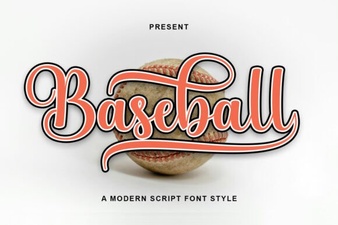 Baseball Font Design Ideas for Your Sports Projects
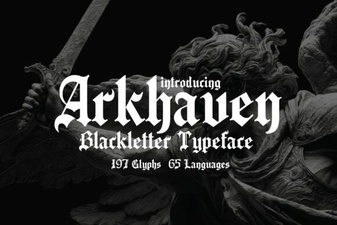 Arkhaven Fonts for Creative Design Projects
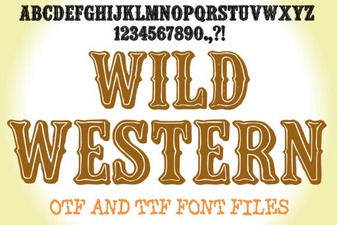 Bringing Classic Western Design to Your Modern Projects