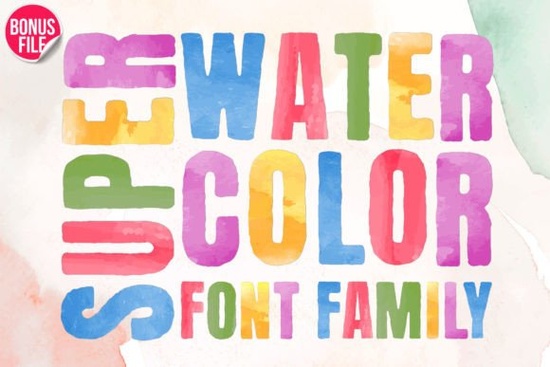
If you're looking for a watercolor-style font that actually looks hand-painted not just a flat overlay or a clipart effect then Super Watercolor Font is worth trying. It’s designed with authentic brush texture, subtle pigment bleed, and soft edges that mimic real watercolor ink on paper. Unlike many “watercolor” fonts that rely on heavy shadows or Photoshop effects, this one builds the texture right into each glyph, so it works smoothly in any vector or layout program without extra editing.
What makes Super Watercolor Font different from other colorful fonts?
Most colorful fonts use solid fills or simple gradients but Super Watercolor Font uses layered, semi-transparent color washes that shift gently across letters. That means uppercase “A” might have a hint of coral at the top and soft teal pooling at the base, just like real pigment would settle on damp paper. It’s not overly saturated or cartoonish, so it pairs well with photography, botanical illustrations, or minimalist layouts.
It’s also PUA encoded, which means all alternate characters, swashes, and stylistic sets load reliably in design apps like Adobe Illustrator, Affinity Designer, Cricut Design Space, and even newer versions of Canva (when uploaded as a custom font). No hunting through character maps or guessing which key gives you the flourished “g” everything is where you expect it to be.
Where does this font work best?
Because of its organic feel and strong visual presence, Super Watercolor Font shines in projects where personality and handmade charm matter more than strict legibility at small sizes. Think:
- Handmade greeting cards and postcards (especially for birthdays, baby announcements, or seasonal greetings)
- Tote bags and t-shirts where the design is meant to catch attention from a few feet away
- Digital planners and printable quote pages its texture adds warmth without overwhelming text-heavy layouts
- Small-batch product labels for artisanal goods like soap, jam, or candles
It’s less ideal for body copy, legal disclaimers, or tiny interface text but then again, neither is any watercolor font. Knowing when not to use it is part of using it well.
How does it compare to other playful, colorful fonts on Creative Fabrica?
Compared to something like the ABCD My Teacher Font, which leans into chalkboard and classroom energy, Super Watercolor Font feels quieter and more refined less “funny teacher handwriting,” more “artist’s journal title.” It shares some visual DNA with the Back to School Font collection in terms of color variety and friendly tone, but avoids school-specific motifs like apples or rulers. Instead, it stays versatile: equally at home on a wedding invitation or a farmer’s market sign.
If you’ve used Super Watercolor Font before, you’ll notice the spacing is slightly more open than many script fonts helping letters breathe and keeping color layers distinct. That also makes it easier to layer over photos or textured backgrounds without losing shape.
Can I mix it with other fonts?
Absolutely and it’s often better that way. Try pairing it with a clean sans-serif (like Montserrat or Open Sans) for subtitles or details. The contrast between soft watercolor letterforms and crisp geometric lines creates balance. For print-on-demand sellers, this combo works especially well on mugs or notebooks: the main headline in Super Watercolor Font, supporting text in something neutral and highly readable.
One tip: avoid stacking multiple decorative fonts together. If you’re already using Super Watercolor Font for your primary headline, skip the ornate serif for the subhead. Let one element carry the personality and keep the rest supportive.
Real-world usage tips
- Test print first. Watercolor textures can look richer on screen than on paper especially with budget printers or matte cardstock. Print a sample at actual size before committing to a full run.
- Use outlines sparingly. Adding a thin black stroke can help readability on busy backgrounds, but too much weight kills the delicate watercolor illusion.
- Try lightening the fill. In Illustrator or Affinity, reduce opacity to 80–90% to make the color feel more translucent closer to how real watercolor behaves.
- Check your software version. Older versions of Cricut Design Space or Silhouette Studio may not fully support PUA-encoded glyphs. Updating helps unlock all swashes and alternates.
If you’re building a seasonal collection spring florals, summer markets, back-to-school stationery Super Watercolor Font fits naturally alongside other expressive typefaces without clashing. It’s not trying to be everything; it’s just really good at what it does: adding gentle, colorful personality to words that deserve to stand out.
Next step: Download the font, open it in your preferred app, and type out three short phrases you’d actually use “Fresh Picks,” “Hello Summer,” or “Made With Love.” See how it feels. Then try pairing it with one neutral font and one background texture (a linen scan or soft gradient). That’s how you’ll know whether it belongs in your working toolkit not just your wishlist.
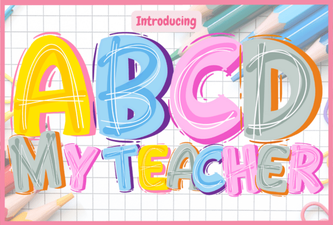 A Creative Font for Classroom Designs
 Creative Typography for School Projects
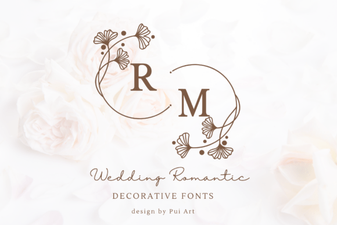 Romantic Font Designs for Weddings & Love Stories
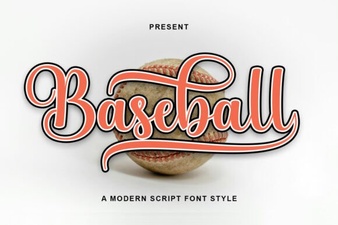 Baseball Font Design Ideas for Your Sports Projects
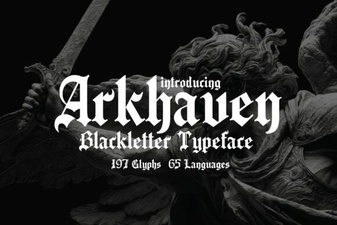 Arkhaven Fonts for Creative Design Projects
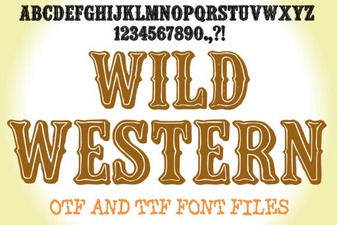 Bringing Classic Western Design to Your Modern Projects