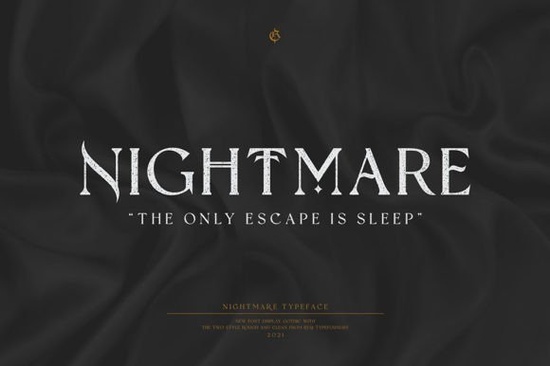
If you're looking for a blackletter font that feels both timeless and fresh something that works just as well on a hand-lettered wedding invitation as it does on a limited-edition band T-shirt you’ll likely appreciate Nightmare Gothic Font. It’s not overly ornate or hard to read at smaller sizes, and it carries the weight and character of traditional gothic lettering without feeling stiff or dated. Designed with practical use in mind, it’s especially suited for branding projects where personality matters but clarity can’t be sacrificed.
What makes Nightmare Gothic different from other blackletter fonts?
Many blackletter fonts lean heavily into historical accuracy or, conversely, push so far into stylization that they lose versatility. Nightmare Gothic finds a middle ground: strong, confident letterforms with subtle texture and balanced spacing. The lowercase “a”, “g”, and “s” have gentle curves that soften the sharpness often associated with this style, making it easier to pair with simpler sans-serif or script fonts. That balance is why it’s been used successfully across greeting cards, small-batch stationery, and even craft-based packaging for candles or artisanal soaps.
It’s also optimized for real-world production. Kerning is consistent across weights (it includes Regular and Bold), and OpenType features like ligatures and stylistic alternates are included but only where they improve readability or add subtle polish, not as decorative clutter. You won’t need to spend hours adjusting spacing before sending files to print.
Where does it work best?
Because it’s built for flexibility, Nightmare Gothic shows up in places you might not expect for a blackletter font:
- Small business branding especially for bakeries, tattoo studios, bookshops, or vintage-inspired apparel lines
- Greeting cards and stationery its clean baseline and moderate contrast make it legible even when printed on textured paper
- Print-on-demand designs it scales well on mugs, tote bags, and posters without losing definition
- Digital use while not a web font by default, it renders cleanly in PDFs, social graphics, and email headers when embedded properly
If you’ve tried other blackletter options and found them too dense or difficult to pair, you might want to compare it with Blistao Font, which offers a slightly more calligraphic rhythm, or Black Ink Font, known for its crisp, high-contrast strokes. For something with a bit more architectural structure, Arkhaven Font is worth checking alongside Nightmare Gothic Font.
How to use it without overdoing it
Blackletter fonts can dominate a layout if used carelessly. Here’s what works:
- Use it for headlines, logos, or short phrases only avoid full paragraphs or body text
- Pair it with a neutral sans-serif (like Montserrat or Inter) or a soft serif (like Cormorant Garamond) for contrast
- Try color blocking set the font in solid black or deep charcoal against light backgrounds, or reverse it on dark stock for impact
- Test readability at scale preview how it looks at 24pt on a mockup before committing to large-format prints
One thing users consistently mention is how well it holds up in embroidery digitizing and vinyl cutting. The letterforms have enough internal space and consistent stroke width to translate cleanly even at 1.5-inch heights on fabric or signage.
Looking for similar styles?
If you’re building a collection of reliable blackletter fonts, you’ll find value in exploring related options. Blistao font adds a rhythmic, handwritten energy, while Black Ink font delivers sharper contrast for bold statements. For a more contemporary twist on gothic structure, Arkhaven font brings subtle geometric refinement.
Remember: great typography isn’t about choosing the most dramatic option it’s about matching tone, audience, and medium. Nightmare Gothic fits quietly into many of those needs without demanding attention for the sake of style alone.
Before you download or license:
- Check the included file formats (OTF, WOFF, and sometimes SVG are common)
- Review the commercial license terms especially if you plan to use it in client work or POD products
- Download the free trial or specimen PDF first to test spacing and weight in your usual design software
- Compare how it looks next to fonts you already own sometimes the best pairing is the one you already have
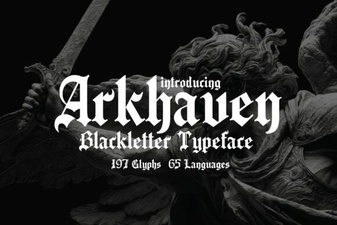 Arkhaven Fonts for Creative Design Projects
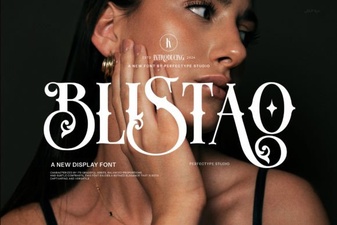 Design Projects Using the Blistao Font Family
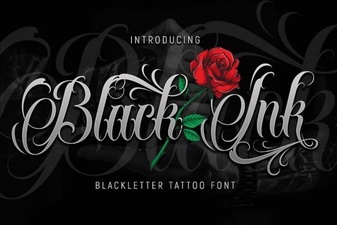 Powerful Projects with Black Ink Typography
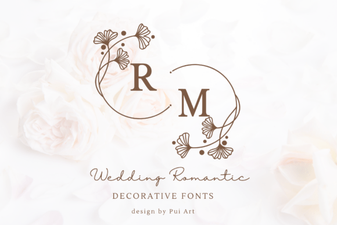 Romantic Font Designs for Weddings & Love Stories
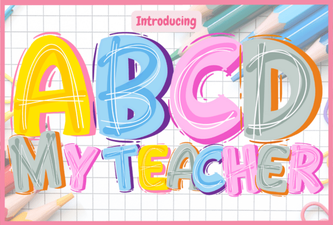 A Creative Font for Classroom Designs
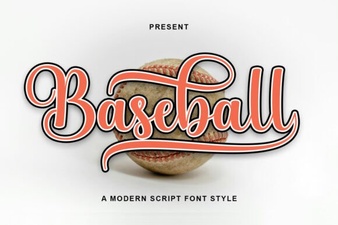 Baseball Font Design Ideas for Your Sports Projects