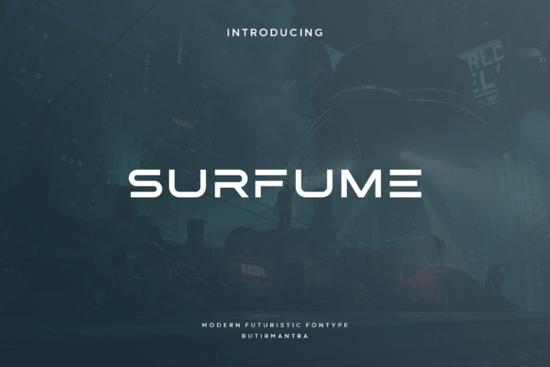
If you're looking for a clean, modern sans-serif font that feels both futuristic and timeless without being overly technical or cold Surfume Font is worth your attention. It’s designed with simplicity in mind: no extra flourishes, no exaggerated strokes, just balanced letterforms that read clearly at any size. That minimalism isn’t about stripping things down to the point of sterility it’s what gives Surfume its quiet confidence, especially in branding, posters, or digital displays where clarity matters more than ornamentation.
What makes Surfume different from other sci-fi–inspired fonts?
Many fonts labeled “futuristic” lean heavily into sharp angles, metallic textures, or glitch effects great for a specific movie poster, but less practical for everyday use. Surfume avoids that trap. Its letterforms are geometric but softened just enough think rounded terminals on lowercase a, c, and e, and consistent stroke weight across capitals and lowercase. It doesn’t shout “science fiction” it whispers it, which makes it more versatile. You’ll find it works as well on a small product label as it does on a full-width banner for an indie film festival.
It’s also built for real-world use: includes uppercase, lowercase, numerals, punctuation, and basic multilingual support (Latin-based languages). No need to hunt for alternate glyphs or manually adjust spacing the default kerning pairs well out of the box. That saves time whether you’re mocking up a logo in Figma, prepping a Canva template for print-on-demand, or laying out a zine cover in InDesign.
Where does Surfume fit alongside other popular sans-serifs?
It sits comfortably between highly functional workhorses like Poppins (which leans friendly and approachable) and more personality-driven options like the Best Friend font (playful, slightly condensed, great for social media graphics). Surfume carves out its own space: neutral enough for professional branding, distinctive enough to stand out in a crowded marketplace.
For example, if you run a small business selling eco-friendly home goods, Surfume could anchor your logo clean, calm, forward-looking while your body text stays in something highly legible like Inter or Open Sans. Or if you design merch for tech-adjacent communities (think podcast logos, conference swag, or workshop handouts), it adds subtle thematic resonance without leaning into clichés like circuit-board patterns or neon gradients.
Who’s actually using fonts like this and why?
We’ve seen crafters use Surfume for minimalist vinyl decals (especially on light-colored mugs or notebooks), where thin lines and open counters help cut cleanly. Print-on-demand sellers apply it to apparel tags, packaging inserts, and storefront banners places where readability at small sizes matters more than decorative flair. Designers building brand kits for startups in sustainability, wellness, or edtech often reach for it when they want something contemporary but not trendy fonts that won’t feel dated in two years.
It’s also a solid pairing option. Try Surfume for headlines paired with a warm, low-contrast sans-serif like Poppins or a relaxed serif like Surfume (yes, the same name just double-check the listing details before downloading). Avoid pairing it with overly decorative scripts or ultra-thin fonts unless you’re aiming for deliberate contrast.
Things to keep in mind before downloading
- Licensing: Creative Fabrica offers personal and commercial licenses make sure you select the right one based on your use case (e.g., selling physical products vs. designing for a client).
- File formats: Comes in OTF and TTF, so it’ll work across Windows, macOS, and most design tools including Cricut Design Space and Silhouette Studio (though always test a quick cut file first).
- No variable font axis: Surfume isn’t a variable font, so you’ll get separate files for regular, bold, and italic not adjustable weight or width sliders.
- Not a display-only font: While it shines in larger sizes, it holds up well down to ~14pt in print and ~16px on screen just avoid using it for long paragraphs or dense legal text.
One last note: if you’re exploring alternatives, don’t skip checking out the full Surfume family page some versions include stylistic alternates or extended language support you might not see in preview thumbnails.
Before you add it to your next project: Test it with your actual content not just “The quick brown fox.” Try your brand name, a tagline, and a short sentence in context. See how it looks beside your primary color palette and on the surfaces you’ll actually print or display it on (matte paper? dark t-shirts? white ceramic mugs?). A great font earns its place through consistency, not first impressions.
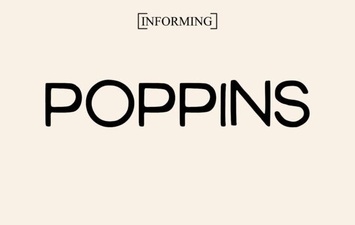 Designing with the Poppins Font: Style & Usability
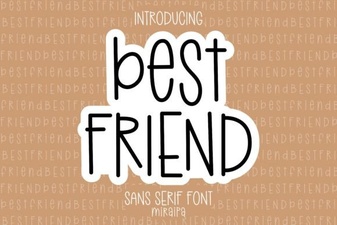 Best Friend Fonts for Creative Projects & Design
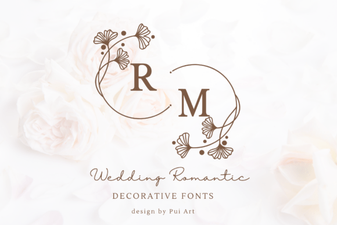 Romantic Font Designs for Weddings & Love Stories
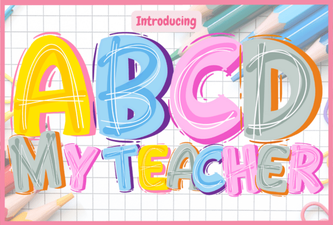 A Creative Font for Classroom Designs
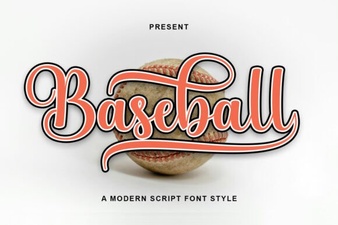 Baseball Font Design Ideas for Your Sports Projects
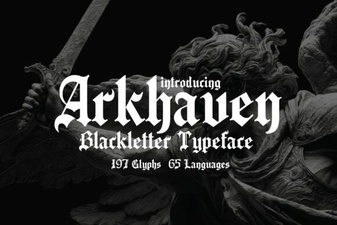 Arkhaven Fonts for Creative Design Projects